
Private AI, automation, and intelligence systems for real operations.
SteelCityIntel helps organizations build practical AI tools, workflow automation, private LLM systems, and operator-facing dashboards. The goal is simple: better visibility, faster decisions, and systems that fit the way your team actually works.
Features & Benefits
What we do
We design and build systems that make AI useful in day-to-day operations.

AI and Automation Assessment
A focused review of workflows, bottlenecks, risks, and opportunities. You get a clear plan before you commit to a larger build.

Dashboard and AI Console Build
Operational dashboards and working AI consoles that bring data, alerts, and decisions into one place.

Private LLM
Private AI systems designed for internal use, better control, and a closer fit with how your team works.

Ongoing Support
Ongoing improvements for prompts, workflows, dashboards, reporting, and operator experience.
Why teams call us
Most organizations do not need more tools. They need fewer moving parts, better visibility, and a system that helps people act.
- Manual work slows down decisions
- AI tools do not fit real workflows
- Data is spread across too many systems
- Teams need more control over privacy and access
- Dashboards show numbers but do not support action

Analytics & Reporting
Intelligent Insights at Your Fingertips
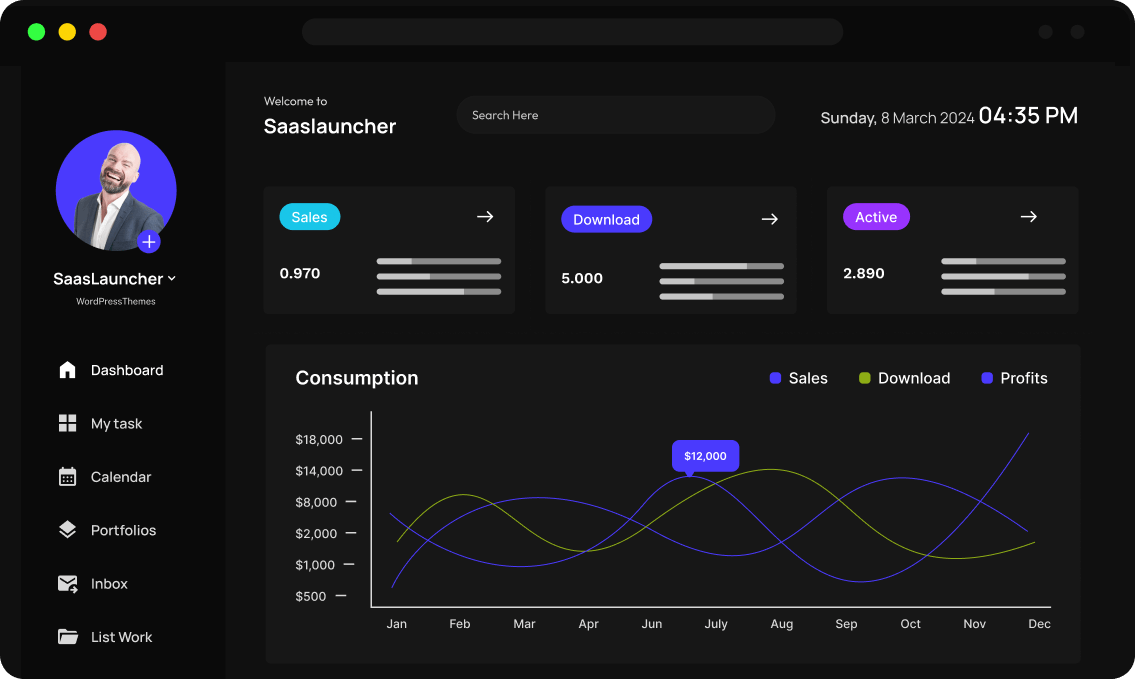
The World View Console and Horizon Dashboards are the visibility layer. They brings together signals, updates, tasks, workflows, and AI-assisted analysis into one operating view. It helps a team move from scattered information to shared awareness.
- Track what is changing
- Surface what needs attention
- Connect multiple inputs in one view
- Support analyst and operator workflows
- Interact with private LLM tools inside the same environment
Our Process
How we do it
We design and build systems that make AI useful in day-to-day operations.
AI and Automation Assessment
A focused review of workflows, bottlenecks, risks, and opportunities. You get a clear plan before you commit to a larger build.
Private LLM Build
Private AI systems designed for internal use, better control, and a closer fit with how your team works.
Dashboard and Console Build
Operational dashboards and working consoles that bring data, alerts, and decisions into one place.

Ongoing Support
Ongoing improvements for prompts, workflows, dashboards, reporting, and operator experience.

AI Automation
Transform Your Workflow with AI Automation
Lorem ipsum is placeholder text commonly used in the graphic, print, and publishing industries for previewing layouts and visual mockups.
Testimonials & Reviews
Hear From Our Happy Clients: Their Stories
Lorem ipsum is placeholder text commonly used in the graphic, print, and publishing industries for previewing layouts and visual mockups.

Emily R.
Marketing Lead

We switched from a legacy tool, and I can’t believe the difference. Setup was a breeze, and every question I had was answered within minutes. That level of care is rare.

Mark T
Startup Founder
I love how everything just works. No steep learning curve, no messy configurations—just a clean, powerful product that delivers what it promises.

John Doe
Founder
Beyond the robust features, what really impressed me was the onboarding support. They walked me through everything step-by-step and made us feel valued.

Jason M
Product Manager
The features are great, but the support team truly sets this SaaS apart. From onboarding to daily use, their quick responses and helpful guidance made the whole experience smooth and stress-free. It feels like we have a real partner, not just a service.

Lena K
UX Consultant
This SaaS solution is a gem. It adapts perfectly to our needs, scales effortlessly, and the team behind it feels more like a partner than a provider.

Aliana Lorel
Founder – Lorel Technology
As someone who’s tried countless tools, this one stands out. Performance is solid, updates are regular, and customer service? Simply outstanding.

Sara D
Freelancer
This platform completely transformed how we manage our workflow. The intuitive UI, along with a support team that truly cares, makes it one of the best SaaS experiences I’ve had.

David V
IT Director
Smooth, fast, and reliable. Our team instantly became more productive. The personalized help during onboarding made a huge difference.

Peter Brandson
Owner – Brandson Industry
User-friendly, beautifully designed, and packed with functionality. I’ve never experienced such responsive support. Worth every penny.
Latest News & Articles
Lorem ipsum dolor sit amet, consectetur adipiscing elit, sed do eiusmod tempor incididunt ut labore et dolore magna aliqua.
Frequently Asked Questions
Got Questions? We’ve Got Answers.
Lorem ipsum is placeholder text commonly used in the graphic, print, and publishing industries for previewing layouts and visual mockups.
What is Full Site Editing in WordPress?
Full Site Editing in WordPress allows users to create and edit their website more efficiently and with more control. It enables users to create unique and custom designs without needing to have advanced coding skills.
What are the benefits of Full Site Editing in WordPress?
Full Site Editing in WordPress refers to a feature that allows users to create and edit their website’s entire layout, including the header, footer, and other structural elements, using a visual editor.
How do I enable Full Site Editing in WordPress?
To enable Full Site Editing in WordPress, you need to ensure that you are using a compatible WordPress theme that supports Full Site Editing. You will also need to install the latest version of WordPress and enable the Gutenberg editor.
What are the benefits of Full Site Editing in WordPress?
Full Site Editing in WordPress refers to a feature that allows users to create and edit their website’s entire layout, including the header, footer, and other structural elements, using a visual editor.
How do I enable Full Site Editing in WordPress?
To enable Full Site Editing in WordPress, you need to ensure that you are using a compatible WordPress theme that supports Full Site Editing. You will also need to install the latest version of WordPress and enable the Gutenberg editor.
What are some popular WordPress themes that support Full Site Editing?
Some popular WordPress themes that support Full Site Editing include the FotaWP Theme, ReviveNews Theme, and the Hello Agency Theme. These themes have built-in support for Full Site Editing, allowing users to create custom designs without needing to know how to code.
What are the benefits of Full Site Editing in WordPress?
Full Site Editing in WordPress refers to a feature that allows users to create and edit their website’s entire layout, including the header, footer, and other structural elements, using a visual editor.

Try It Free. Scale When You’re Ready.
Get started without limits. Explore all features at your own pace — upgrade only when your business grows.